
Google review software: what it does, what's free, what it costs.
What Google review software actually does, which half you can get free from Google, and a plain comparison of the price tiers so you don't pay for a dashboard.
John "Holliday" Mahlow
Founder, Cursive Media
- Read time
- 7 min read
- Updated
Search for Google review software, or "review management software" as the vendors prefer to call it, and the results have a funny property: almost every "best tools compared" list was written by a company that sells one of the tools on it. The rankings are ads with headings.
We build review systems for local businesses, so we're not neutral either. The difference is we'll say so up front (there's an affiliate link later, disclosed where it appears), and we'd rather explain what this software actually is, because once you see the parts, choosing gets much easier. Sometimes the right choice is not buying anything.
Every tool in the category sells the same five features
Strip the branding off any review platform and you find the same machine:
- Request sending: the tool texts or emails your customer a review ask with your direct link.
- Monitoring and alerts: new reviews trigger a notification instead of waiting for someone to look.
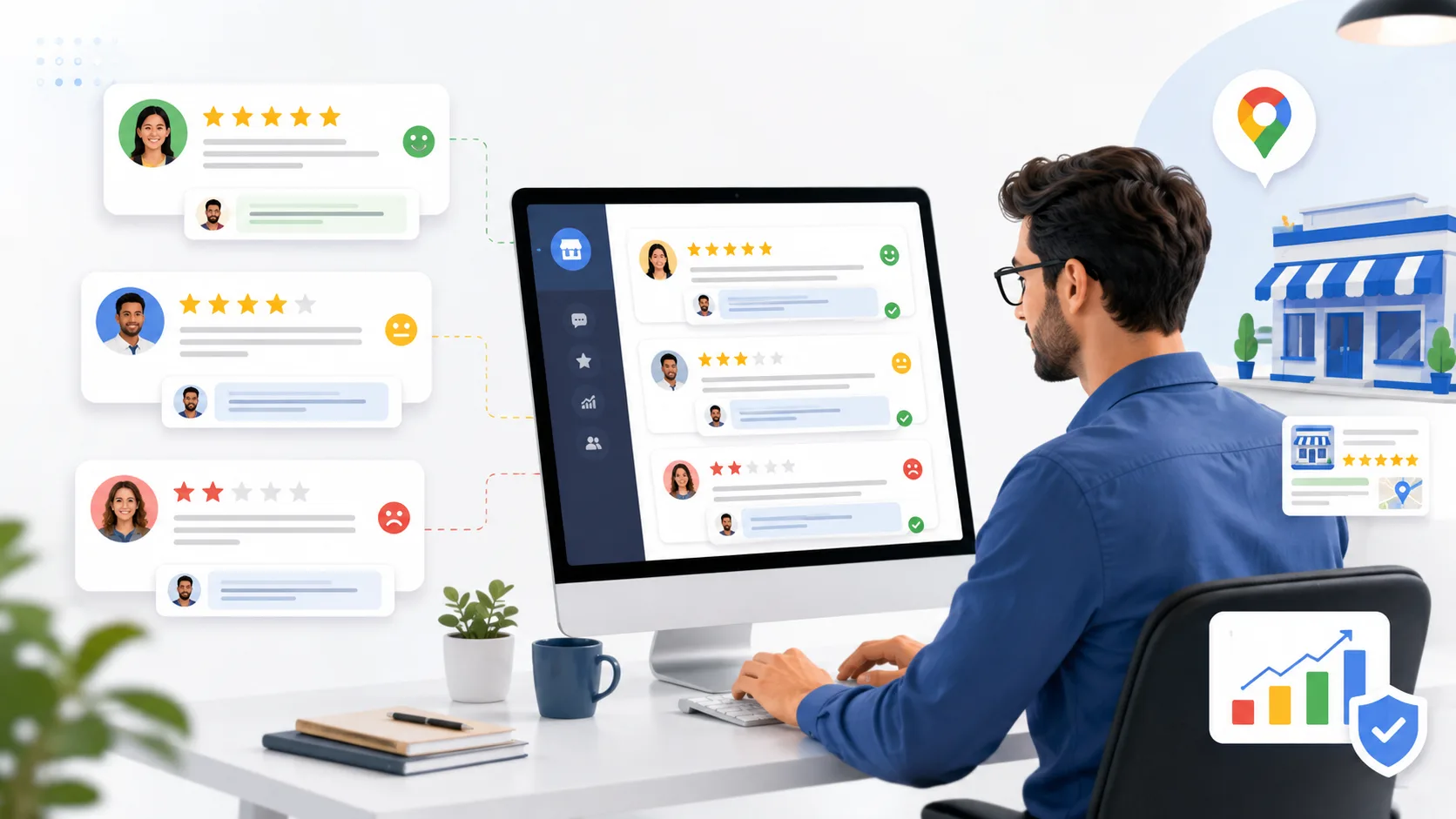
- A reply console: all your reviews in one inbox, increasingly with AI-drafted responses waiting for approval.
- Website widgets: your Google stars embedded on your own site.
- Reporting: charts of your average and your volume, plus how this month compares to March.
That's the category. Vendors differ on polish, integrations, and price, but no tool has a secret sixth feature. Keep that list in mind, because you already own more of it than the listicles let on.
The half Google gives you for free
Google would like you to collect reviews. It ships the plumbing at no charge to any verified Business Profile.
Your direct review link and a printable QR code come straight from your profile's Get more reviews panel; grabbing yours takes about a minute. Reading and replying works from the profile too, right in Search, and finding every review across your account is a two-tap path once you know where it lives. Google also alerts you when a new review lands, by email, in Search, or in Maps, though its own help forum is full of owners whose emails quietly stopped arriving.
So features one, two, and three exist in a free tier already, in rough form. What the free layer doesn't have is the part that actually produces reviews: nothing fires automatically when a job finishes. Google can't know the invoice got paid. Your CRM does.
What you’re actually buying is the trigger
A dashboard doesn't produce reviews. The trigger does.
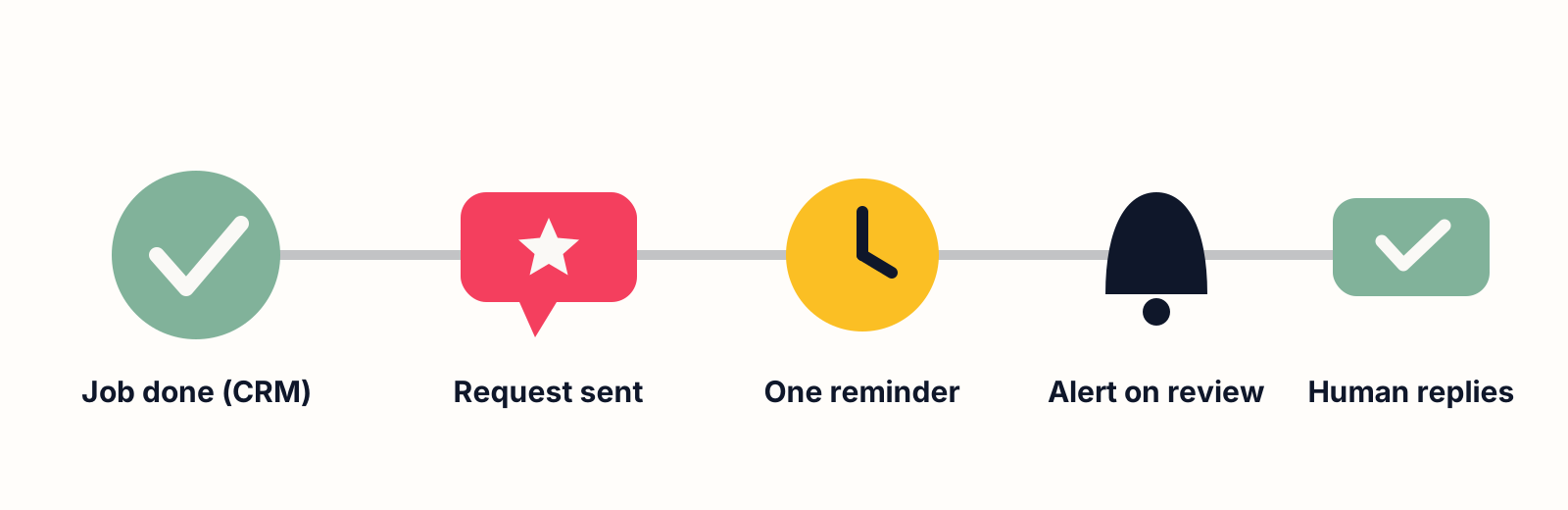
The businesses stacking steady reviews all share one piece of wiring: a "job complete" event in their CRM that sends the ask every time, with a polite reminder a few days later, no human memory involved. That loop is the whole playbook, and it’s the one feature you can’t screenshot in a demo, because it lives in the connection between the software and your operations.
This is also where the category's dirty secret sits. A review platform that isn't wired to your job-completion event is a very expensive place to read reviews. It is easy to end up paying for exactly that.
If you evaluate tools on one question, make it this: what event in my systems fires the request, and who’s doing the wiring?
The price tiers, honestly
Five ways to buy the same machine, side by side. Prices are what each vendor publishes as of September 2026; where a vendor publishes nothing, the table says so.
| Tier | What you get | What you still own | Published price |
|---|---|---|---|
| Free + manual | Google's review link and QR code, replies from Search or Maps, new-review alerts | Remembering to send the ask after every job | $0 with a verified Business Profile |
| Point tool | Automated text and email asks with reminders, a reply inbox, a stars widget | Telling the tool a job finished, which is the wiring | Tens of dollars a month; NiceJob lists $75/mo |
| Big platform | All of the above plus multi-location dashboards, listings, surveys | A sales call, a contract, and the same wiring | Birdeye and Podium print no price; one Jan 2026 breakdown puts Birdeye at $299–$449/mo per location |
| All-in-one | The five features inside a CRM that already knows when the job finished | Setup; AI-drafted replies bill by usage | GoHighLevel $97/mo, $297/mo unlimited |
| Done-for-you | The wiring, the message copy, the response workflow, and a named human accountable for it | Approving the drafted replies | Quoted after a 20-minute call |
Free + manual
Google's link, sent by a human after each job. Costs nothing, works until the first busy week. Fine for a business with a handful of jobs a month.
Point tools
Single-purpose review senders run tens of dollars a month; NiceJob, for one, lists its Starter plan at $75 a month with text and email requests included. You still own the wiring problem: something has to tell the tool a job finished.
The big reputation platforms
Birdeye, Podium, and their peers are built per-location and sold by sales call: neither Birdeye nor Podium prints a number on its pricing page. One independent breakdown from January 2026 puts Birdeye’s entry tier at $299 to $449 a month per location on annual billing and describes a pattern of multi-year contracts. For multi-location brands that need centralized dashboards, that money buys real capability. For a single-location service business, it’s usually a dashboard tax.
All-in-one platforms
GoHighLevel includes the entire five-feature machine inside a $97-a-month subscription ($297 for the unlimited tier, as of September 2026) that also replaces your CRM, your calendar, and your follow-up stack; the one piece billed separately is AI-drafted replies, which run on usage. That combination matters here because the review trigger and the job data live in the same system, so the wiring is native instead of bolted on. What the platform is and how its pricing compares to a stitched-together stack both have their own write-ups.
Done-for-you
An agency builds and runs the system on top of one of the layers above. You're paying for the wiring, the message copy, the response workflow, and a human accountable for it working. That's the service we sell, so weigh this paragraph accordingly.
The rules travel with you, whatever you buy
No tool exempts you from Google’s review policies. Gating (surveying first and only sending happy customers to Google) is prohibited in so many words: the policy bars anyone who would “selectively solicit positive reviews” or “discourage or prohibit negative reviews,” and it bars incentives “such as payment, discounts, free goods and/or services” in any direction. The legal shape of automation is automating the ask, never the review. Treat any vendor promising to "filter" your requests or "remove negative reviews" as a red flag with a subscription fee; what actually gets a review removed is a much shorter list than the sales pitch implies.
Choosing in one afternoon
Three questions settle it for most businesses we audit.
How many jobs finish in a month?
Under ten or so, the free link and a habit beat any subscription. Past that, automation stops being optional, because the asking has to survive your busiest weeks, the exact weeks a human forgets.
Where does "job done" live?
If it’s in a CRM or field-service tool, buy whatever wires to that event most directly. If it’s nowhere, the review tool is your second purchase; the system of record is your first.
Who answers the reviews?
Software drafts replies; someone still owns them. Responding well is its own skill, and it’s the visible half of reputation that no widget covers.
If you'd rather hand the whole thing over (wiring, messages, alerts, responses, and the reporting to watch the average climb), that's what we build. Book a strategy call and bring nothing but the name of whatever currently knows when your jobs finish.
Disclosure: links to GoHighLevel in this article are affiliate links, so we earn a commission if you sign up through them. It costs you nothing extra, and it didn’t decide which tier we told you to look at first.
John "Holliday" Mahlow
Founder, Cursive Media